![[Jcount.com]](https://www.jcount.com/wp-content/uploads/2014/08/jcount150X50.png)
![[Jcount.com]](https://www.jcount.com/wp-content/uploads/2014/08/jcountstartupslogo1.png)

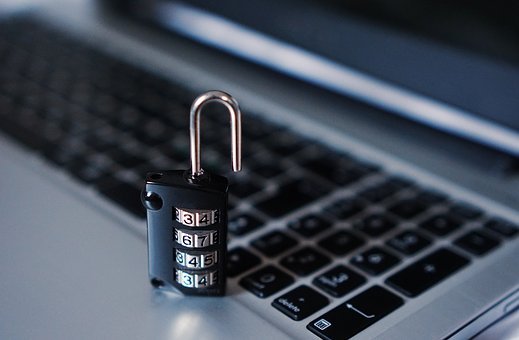
All of us are lazy and often carefree. Nobody likes to think about computer protection, install security software for Windows computers, update their operating systems, enter one-time passwords. But if you never lock the door, one day someone robs you.
I’ve been working for a security company for four years already. And monitoring thousands of data breaches, I concluded that there is no safe place on the Internet. The virus can hide in any program or even in the update your download (remember NotPetya virus in M.E.doc). Any data you show on the social network or, for example, on the corporate website, can be used for phishing or social engineering, and sometimes for doxing or bullying. And it’s not only a hacker you should be afraid of. The intruder threatening your computer safety can hide among the colleagues, campus neighbors, roommates, and even family.
Moreover, the way you protect your computer from viruses, hackers, and spies, often influences not only you personally but also the security of the whole organization where you work or study.
Realizing all this, I adopted a set of 5 must-have rules and tools for Windows computer protection. And I always use them to protect both my personal and office Windows computers. Hope that some of you will adopt these safe Windows tips too.
1. Use Windows two factor authentication
I put this item first because it’s the first barrier the attacker faces trying to get access to your computer. I use the Protectimus WinLogon tool for my Windows two-factor authentication. It’s very easy to set up and free up to 10 computers.
It’s vital to understand that two factor authentication is a combination of two equally important components: the static password and a one-time password you generate with the help of the OTP token. The main idea of a two-factor authentication solution is that if someone steals one of the factors, another one should save your account. That’s why you need to choose both factors wisely. The static password must be strong (12 symbols minimum with letters, numbers, and special characters). And the 2-factor authentication token you use must be also reliable. The best choice for Microsoft 2FA is a hardware OTP token or at least 2-factor authentication application like Google Authenticator.
2. Update Windows and all your software regularly
The greater part of viruses and hackers try to exploit well-known backdoors and often succeed. And the majority of updates fix the bugs and close these well-known backdoors. That is why regular Windows update is so important. I’ve set up automatic updates for Windows operating system and recommend you to do the same.
Also, try to update computer and all the other software you use in time. Some experts advise to track the latest Windows update but wait for a few days before installing it. Just in case there are some troubles with the new version. If you don’t notice any announcements about data leaks or software malfunctioning caused by this Microsoft Windows update, install it.
3. Install antivirus software and firewall
It seems strange, but even in 2019, there are millions of people who ignore computer virus protection with antivirus software. And it’s a big mistake.
The best antivirus for Windows will protect your computer from worms and viruses, Trojan horses, spyware; warn you if there is any dangerous attachment in the email or message you get; prevent rootkits, which mask other malware deep inside your computer; stop bots, which can make your computer a part of a malicious botnet.
Be sure, if you don’t use the best computer antivirus for WIndows, one day you’ll find some kind of malware on the computer. Great if it’s not ransomware or something worse.
The best antivirus software for Windows 10, 8, 7 is Dr.Web or Avast. And of course, it’s better to invest in a paid version of Windows antivirus software.
If your Windows computer is connected to any network, you also need firewall protection. Windows firewall protects from unauthorized attempts to access and blocks unwanted traffic, ports. The firewall works like a filter that drops all inbound packets not matching certain rules.
Enable the Windows firewall or install it’s alternative if you don’t want to use the built-in feature for any reason.
4. Backup
It’s a matter of common sense. The computer won’t work forever, it may be stolen or hacked, and it’s better to get ready for any emergency.
There are three ways you can backup Windows computers:
- To copy everything important to the external HDD/SSD drive.
- To copy everything important to cloud storage like Google Drive or DropBox.
- To use a special online backup service like Backblaze, MozyHome, or Carbonite. It’s the best one, but it’s not free.
5. Keep your eyes open
There are common computer safety tips everyone should know and follow:
- Avoid public Wi-Fi. Better try not to connect to public Wi-Fi at all, but if there is no choice at least use VPN to enhance your computer security.
- Remember about phishing and social engineering. I’m sure everyone received a phishing message at least once, it’s a widely spread scam and even the best computer protection software can’t stop it. So always check the email address of the sender, the domain name spelling, scan the attachments with antivirus software, don’t click on Google ads and links from strangers. Also, double-check any suspicious info you get in messages not to become a victim of social engineering. Even when the message is from the closest people.
- Don’t use Torrent websites. The risk of downloading malware is too high on these websites. I know, it hurts, but try to consume only legal content.
- Think twice before posting anything on social networks. Remember that this info becomes public and can be used against you. For example, an attacker can guess the answer to your secret question using the info from your Facebook, etc. And computer security software will be useless.
- Activate two-factor authentication on every account you use and where it’s possible. And first of all, enable 2FA on payment services and email clients. Better use hardware tokens or 2FA apps. Note, there are programmable hardware tokens that can replace a 2FA app, useful for the websites that offer only in-app 2-factor authentication.
That’s it. These are the basics for internet safety and Windows computer security everyone should use. Don’t be lazy, start taking care of your Windows computers and online security right now.