![[Jcount.com]](https://www.jcount.com/wp-content/uploads/2014/08/jcount150X50.png)
![[Jcount.com]](https://www.jcount.com/wp-content/uploads/2014/08/jcountstartupslogo1.png)

Choosing a computer is not as easy as it used to be. From just a few models, the industry quickly grew to offer a wide variety of features and functionalities. The many choices and blurry boundaries between categories are confusing to many people, making it hard for them to make a decision when choosing a computer.
Before deciding if you’ll buy a computer with a touchscreen or a convertible model, it’s important to consider a few fundamental aspects that will determine the suitability of your choice. If you know how you will be using your computer and which are the basic features that will provide what you need, making a decision will be easier.
These are six fundamental things you have to consider when buying a computer:
Type of Computer
Think where and when you want to use your computer, this will give you clues to choose the type of computer you need. The main types are:
All in One: They are designed to fit small workspaces and match modern interior decorations, incorporating the computer and the monitor in the same case. Since everything is packed in a small space, it’s hard to repair them or extend their functionalities.
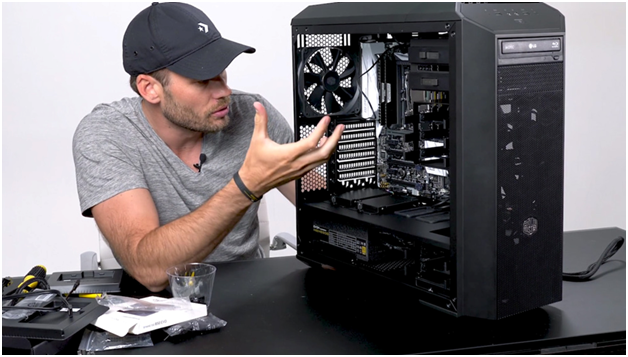
Desktop: Classic computers are designed to always be used in the same place and upgrade them as you need. You can easily change their monitor, camera, speakers or keyboard.
Laptops: If mobility is important for you, a laptop is the best choice. New models are very light and small, which make them easy to carry around. Consider the size of the screen and the keyboard to make sure that you will be comfortable using this type of computer.
Processor
Once you know the type of computer you need, you can start looking at the features. Processors are a very important aspect, as they will determine the variety of tasks you can perform at the same time, and also the speed.
The speed is measured in GHz and the number of cores indicates the ability of multitasking. A higher GHz offers a higher speed, while multiple cores allow the computer to process more data simultaneously.
If you want the computer for basic things, such as checking your email, reading articles or using social media, Intel Celeron, Pentium or AMD A4 will be good enough. If you want to play video games, stream videos, edit images, and use complex software, you will need a high-end processor like Intel Core i7 or AMD A10. Playing new video games, streaming, and editing on your PC will also require the best 140mm fan because the temperatures without the fan can get dangerously high, and that might damage something.
Random Access Memory (RAM)
The Random Access Memory manages the read and write access to the storage, therefore, it’s the working memory or “office desk” of the computer. It also affects its speed.
RAM is measured in gigabytes (GB). A basic computer can perform well with 4GB, but if you are planning on doing many things at the same time, 8GB will be a better starting point.
Storage or Hard Drive Capacity
Do you trust the cloud? Are you comfortable storing your pictures and documents online? How much information do you need to store? These are the questions you should answer before choosing the storage capacity of your computer.
Hard drive capacity is measured in gigabytes or terabytes (1000 gigabytes = 1 terabyte). Some modern computers come with very limited storage capacity because they are designed to store the files online and be always connected to the Internet, while others have a big capacity to keep everything in your computer.
Operating System
The two main operating systems, Windows and Mac, offer similar functionalities and are compatible with most programs and applications.
Learning how to use a new operating system can be hard and time consuming for some people. Unless there’s a specific software that you need to use and that is only available for one operating system, it’s better to choose the one you already know. For example, if you always had an iPhone and used Mac computers, this might be the best choice for you. Generally speaking, always for the operating system you are familiar with.
Peripherals, Outputs or Ports
Consider the external items you’ll want to use with your computer. Many modern computers don’t come with a DVD drive, video outputs or multiple USB ports.
When choosing a computer, consider if you’ll need to plug add-on devices (digital cameras, e-book readers, speakers, fans, lights, etc.) at the same time, if you use CDs and DVDs, and if you’ll want to connect your computer to a television or bigger monitor.
Defining the final purpose of getting a computer will help you determine the features you need. You can also make a list of needs and wants to guide your final decision, identifying which are the most important things to you and which would be just nice to have.
If after reading these tips and checking our computers section you are still confused, contact us, we can help you find the best option for you.


