![[Jcount.com]](https://www.jcount.com/wp-content/uploads/2014/08/jcount150X50.png)
![[Jcount.com]](https://www.jcount.com/wp-content/uploads/2014/08/jcountstartupslogo1.png)

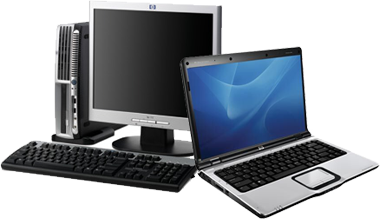
It is always exciting when you have new things like a new computer. And usually, you are very excited and eager to buy and download new software to make the most out of your new computer. Well, take it easy as you do not want to waste money and time on buying, downloading and installing unreliable software.
Before you buy, download and install, it is advisable to check your computer first and do the following:
- Make sure that the computer’s operating system is up-to-date. Most of the times, installation failed due to out dated operating system so before you download or install anything, make sure that the version of your OS is the most updated one.
- Install a reliable anti-virus software so you have protection against viruses from other programs that you download and install.
- Download reliable Internet browser like Mozilla Firefox or Google Chrome and of course, make sure that the version that you will download and install is updated.
Types of Software
There are different types of software that you would want to install on your new computer and that includes:
- Home Office Software – most of the times you use your computer to be productive like for your work so you would want to install home office software like for accounting, Microsoft office, Photoshop and others.
- PC Games – if you’re a gamer then you will surely install as many PC games as you want. But beside the games software itself, you also would want to install benchmarking and stress testing software to test the performance of your PC and know where to make necessary adjustments.
- Internet Security software – this is very important so you can protect your PC to viruses especially when you are fond of downloading and installing software online. Your anti-virus should be updated regularly to ensure that your PC is protected at all times.
Tips in Purchasing Software
Now are you ready to purchase and download different software? Well below are tips to remember:
- Check system requirements and software compatibility to ensure that you are buying the right type of software for your new PC. Thus, it is recommendable that you know your OS and the version before you go to the store to buy software.
- Purchase from reliable brand and companies. For example, you need Microsoft office, then check out Office 365 from Harvey Norman, for anti-virus some reliable brands include Norton and Trend Micro. For games, make sure to purchase original copies to avoid virus on your computer.
- Make use of the 30-day trial period. If you are not sure about the product, then make use of the trial period to get to know the software and see if it something that will be useful to you. That’s why there’s trial period.
- Go for the paid version instead of finding free download from illegal sites or crack versions. Most of the times you will just waste your time finding and downloading those crack versions. If you really need it then go for the paid version.
It is important to be careful in downloading and installing software on your computer. Follow the guidelines that we discussed and make sure that you always check your computer from virus as well as its overall performance.