![[Jcount.com]](https://www.jcount.com/wp-content/uploads/2014/08/jcount150X50.png)
![[Jcount.com]](https://www.jcount.com/wp-content/uploads/2014/08/jcountstartupslogo1.png)


Client churn is one of the biggest challenges faced by SaaS companies.
Since cash reserves usually aren’t big, making sure your current clients pay their invoices and stay on time and without disruptions can be a matter of life or death for many companies.
But while client churn is usually associated with cancellations, that’s not the only way it can happen.
In fact, according to a data analysis by ProfitWell, up to 40% of churn can be attributed to failed credit card payments.
What does this mean for you?
Well, to put it simply, businesses are losing more than a third of their potential earnings because of delinquency.
Your client’s credit cards expire and go over the limit all the time. But just because it happens (and it happens a lot if you’re running a SaaS business), that doesn’t mean there’s nothing you can do about it.
With the help of dunning, you can decrease revenue loss and ensure that the payments from your clients go through on time. And the best part is, the entire system can run on autopilot!
But What is Dunning, Anyway?
It can be difficult to find the right balance between maintaining a good relationship with your customers and still ensuring that you get paid on time.
And manually contacting each declined card owner can be exhausting and time-consuming.
But with dunning, it all runs on autopilot.
Dunning is the process of automatically contacting customers whose credit cards have been declined, have expired, or are about to expire.
You can set up the exact emails that get sent out to your customers when their card is declined. Dunning even allows getting ahead of the issue sending autoresponder emails to clients whose cards are about to expire.
This way, instead of having to chase clients and risk ruining the relationship, you can make dunning a seamless process that gently reminds your clients that they should resolve their credit card issues using a predetermined action list.
Why Is Dunning Important?
Well, when you’re a SaaS company, you typically don’t have a lot of cash reserves to work with, so you need to make sure that your current clients are paying promptly.
As an article about dunning services by Dave Schneider puts it, having less than a month’s worth of cash reserves means that you’re always backed into a corner.
But it doesn’t have to be that way.
With dunning, you can decrease revenue loss by up to 40%, which can go a long way in giving your company more breathing room.
But how do you set up a dunning workflow for your business?
Well, there are a few steps you have to follow to make it happen, but the good news is that once set up, dunning will work for you on autopilot, month after month.
Dunning: Three Main Types of Emails
While dunning can be approached from many different angles, there are three main types of emails that you will be sending out to your clients.
1. Card Expiration Reminder Emails
With a dunning workflow, you can avoid having payments declined altogether if you inform your customers that their card is about to expire.
You can set up the system to automatically sort credit cards that will expire soon and plan an email sequence to remind them to change the billing details before the expiration day.
For instance, you could send out emails 30 days, 14 days, and 7 days before the expiration day and gently inform them to update the credit card details while at the same time reminding them of why it’s worth using your services.
2. Post-Expiration Reminders
If your pre-dunning emails don’t generate a response from the client, it’s time to move to the next phase, informing your clients that their card has already expired and that the next payment will not go through because of it.
This can be used as an opportunity to remind them of the benefits that come with using your services and perhaps even offering a small discount or special if they fix the issue by a certain deadline.
3. Failed Payment Reminders
Sometimes, credit card payments can get declined even if the card hasn’t expired yet – it may happen because of network issues, temporary limits on the credit card, or even because of an error in the system.
And although these emails are similar to those sent out after the credit card has expired, they require a more delicate touch because sometimes the issue is temporary and the client is not at fault.
So while it’s important to notify the customer that the payment hasn’t come through, it might be wise to first try to resolve the issue automatically.
For instance, Smart Retries, a feature offered by Stripe, allows you to set up the system to automatically retry the credit card a few times before sending out a notification to the client.
You can also use the Stripe credit card test to ensure that your payment processing system is working properly.
What Makes an Effective Dunning Strategy?
Dunning requires a delicate touch – since you’re basically calling out customers about a declined payment, it’s very easy to create friction if you don’t craft your messages carefully.
Here are a few things you should consider to make sure you remain on good terms.
Be Friendly
Although missed payments can be frustrating, it’s important to remember that your customers are regular people just like you and me, who can be forgetful, busy, and a million other things.
That’s why you can’t approach the emails with the attitude that you’re trying to coerce them into making a payment.
Instead, try to be friendly and helpful – remind them that they should check their billing details and offer to help in any way that you can.
Dunning communications are different from traditional email marketing – you’re not only disrupting your customer but are also requesting him to resolve an issue, so it’s important to phrase the messages carefully.
Email at the Right Time
When it comes to getting a response from a client, timing is everything.
And with dunning, you want to start engaging your customers as soon as there’s an issue. Usually, it will take two or even three communications to get the issue resolved, so it makes sense to plan out your emails so that there’s as little disruption to the payment schedule as possible.
If you start communicating a month before the card is set to expire, it’s likely that the issue will be resolved well before a single payment is missed.
Establish Trust
Finally, it’s important to consider that any emails involving billing or credit cards will raise flags for your clients.
There are plenty of scams that try to lure payment information by pretending to be someone else, so you have to make sure that your email looks professional and trustworthy.
To do this, make it as clear as possible that the email is from you – send it from a company email, use links to your website, and also utilize design elements that clearly showcase your company’s identity.
How to Seamlessly Implement Dunning
Alright, so it’s pretty clear that dunning can be very effective for decreasing revenue loss and making sure that you get paid on time.
But what’s the most hassle-free way to set up a dunning workflow?
Well, today there are a few powerful tools that can help you to set up the entire system quickly and without hassle.

ProfitWell’s Retain
ProfitWell is a powerful metrics tool for SaaS companies, but among the tools that they offer, Retain might be the most impactful.
It features automated recovery emails, landing pages, annual upgrade options, and in-app messages, all of which help to reduce churn and improve recovery.
BareMetrics’s Recover
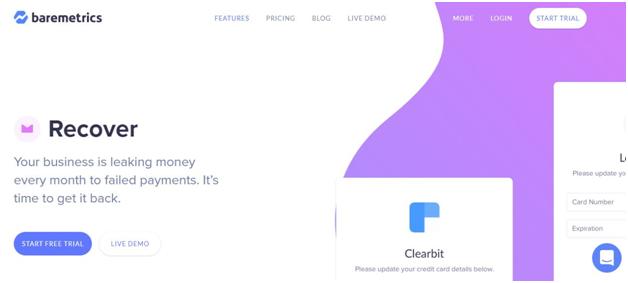
BareMetrics is another metrics and forecasting tool that also offers a tool, Recover, to help you reduce churn and make sure that you get paid on time.
With Recover, you can set up custom drip email campaigns, utilize pop-ups for declined credit cards, and set up automated in-app reminders for customers.
The entire system is very intuitive and easy to use, which means that you can get started right away without wasting time figuring out the technical aspects of setting everything up.
ChurnBuster

Another great tool for setting up a dunning workflow is ChurnBuster – it’s one of the best solutions available for retaining customers and collecting past-due payments without disruptions to your business.
It can offer you customizable tools for reducing churn, resolving failed payments, and delivering automated support to your customers.